Patchbay Voice
/Voice interface
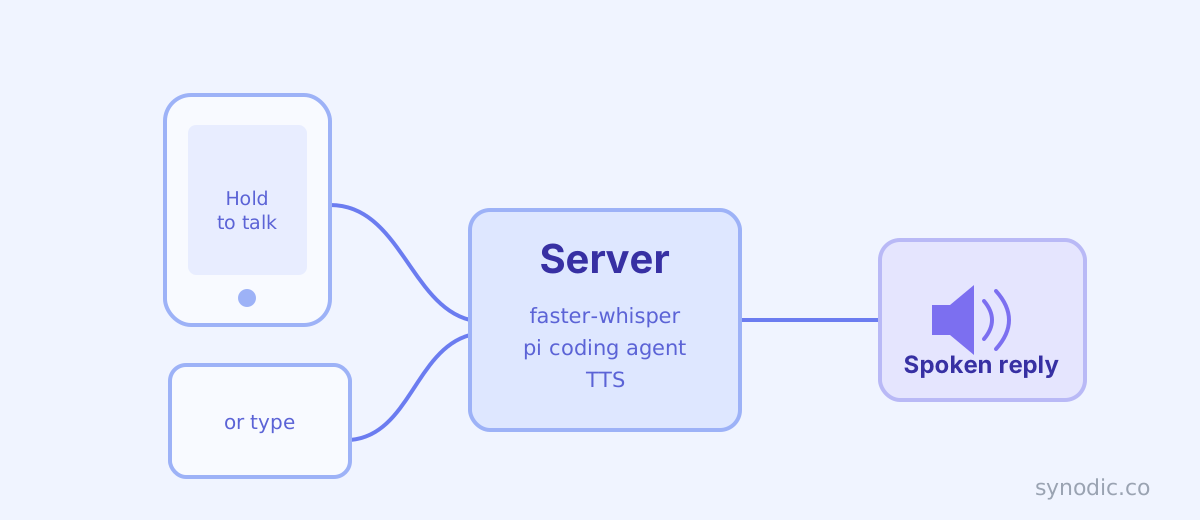
Talk to your codebase. Hold a button, ask about your code or dictate a note, hear the answer.
synodic-studio/patchbay-voice· MIT
I wrote Patchbay Relay because I needed a way to send text instructions to Claude Code from my phone. It works, but text has a ceiling. Composing a careful multi-line prompt on a phone keyboard, then waiting for a wall of markdown to come back, still creates friction between the idea and the code. Voice removes most of that friction.
Patchbay Voice is an iOS app and a web client, both backed by a lightweight server that runs alongside pi, a multi-model coding agent, on a machine you control (macOS or Linux, local or remote). You hold a button and ask about a project: what it does, how a piece works, what changed in the last commit. The server transcribes the audio with faster-whisper, hands it to pi via a custom pi extension bundled in the repo, and reads the reply back. When you want to keep something, you ask it to save a note, and it writes the note into the repo for you. The agent reads and reasons about your code; it does not modify it.
How it works
iPhone (Patchbay Voice app)
  └── hold mic → release to send
      └── POST /api/talk (multipart: audio + session ID)
            ├── faster-whisper → transcript
            ├── pi --print --mode json --session <id> (+ custom read/search/git tools extension)
            └── TTS (Google Cloud or macOS say)
                └── audio chunks → playback on device
The server is a FastAPI app that runs on a machine you control (macOS or Linux, local or remote). It uses faster-whisper for transcription on that server, so the audio goes no further. pi runs with --session for continuity and --extension pointing at a bundled TypeScript extension. Its built-in tools are turned off entirely; in their place the extension registers twelve parameterized, injection-safe tools of its own for reading, searching, inspecting git history, and writing to a locked save path (the full set is listed under Server, below). Each takes explicit arguments and shells out through argv arrays rather than a shell string, so shell metacharacters in a spoken instruction stay inert. Audio responses come back as a sequence of chunks (one per paragraph), which the app plays in order.
Sessions are scoped to repositories. Every directory under ~/Developer becomes a potential session target. Selecting a repo sets the working directory for pi and keeps its context isolated from other projects.
The design constraint
Patchbay Relay proved that a phone is a good interface for an AI coding agent if you accept a few constraints upfront: no GUI, no browser, no clipboard-heavy workflows. Patchbay Voice extends that constraint into audio: no keyboard required at all for most turns.
The use case that drove this is catching up on a codebase mid-walk. I go for a walk, open the app, and ask what a project does, or what changed since I last looked, or how some part works. I listen to the answer and, when something is worth keeping, dictate a note for the agent to save. No squinting at code on a small screen. No fumbling with a keyboard. The whole exchange is conversational.
Voice also changes the tone of what you ask in ways I did not fully anticipate. Dictated questions tend to be more direct and less precise than typed ones. That turns out to be fine, often better. “What does the billing code actually do” works. You get comfortable asking loosely and trusting pi to interpret you reasonably, which is the right posture.
Designing for a screen you are not looking at
The premise of a voice interface is that you are not watching the phone. You are walking, or your hands are busy, or it is in your pocket. That single fact rewrites the rules for what a failure is allowed to do. A screen-first app can surface an error as a red banner you glance at and dismiss. Here, if something breaks and the app simply goes quiet, you are left on the sidewalk waiting for a reply that is never coming, with no way to tell it failed. Silence is the worst possible failure mode.
So the server is built on one rule: a turn always comes back with something audible. An early version got this wrong: it treated speech synthesis as part of the turn, so when a text-to-speech call failed, the whole exchange failed and both your message and the reply vanished, even though the server had already produced and saved them. Fixing that surfaced a set of decisions that were never really product decisions until voice forced them to be, so I wrote them down as architecture decision records in the repo and tested against them, rather than leaving them implicit in the code:
- Audio is best-effort, never required. The transcript and reply text are the permanent record of a turn; spoken audio is a disposable rendering of it. Synthesis runs through a one-way fallback chain (Google Cloud TTS, then macOS
say, then a pre-recorded “audio unavailable” clip), so you always hear something, and the response flags when it had to fall back so the client can show it. - Failures speak. If pi times out or crashes, or transcription itself fails, the turn is still saved and a short spoken notice comes back through that same chain. The technical detail is kept in the turn’s text for debugging; what you hear is a plain sentence, not a stack trace.
- Nothing you say is dropped. Talking while a previous turn is still running used to either block or silently discard the earlier message. Now every submission is queued server-side in strict order and answered as its own independent turn, so two things you said are two things pi answers.
- Audio is ephemeral on purpose. A turn’s audio lives only until the next turn on that chat, then it is deleted. This is a live conversation, not a podcast archive; the text is the archive.
None of these are exotic. They are the kind of decisions that are easy to leave implicit until the interface stops giving the user a way to notice they were made wrong.
Clients
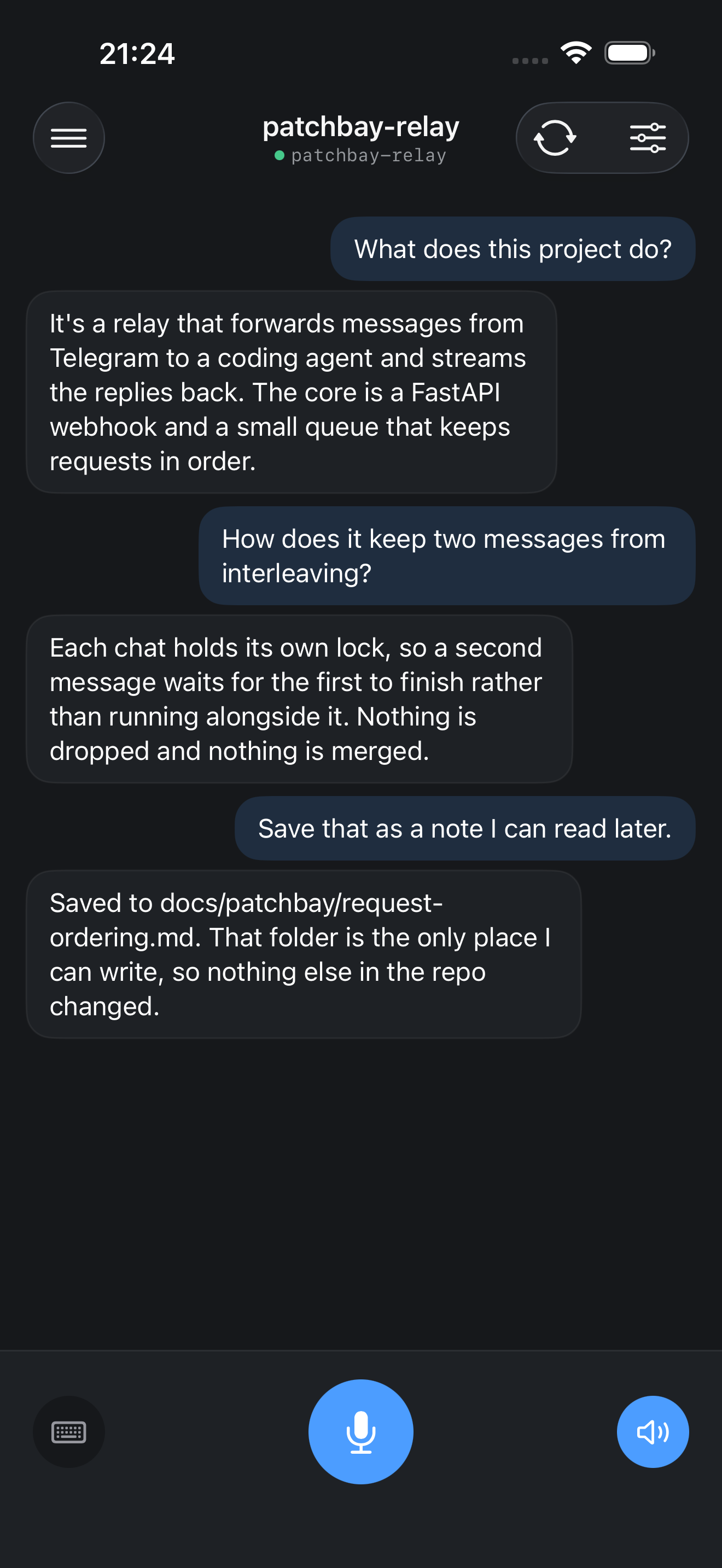
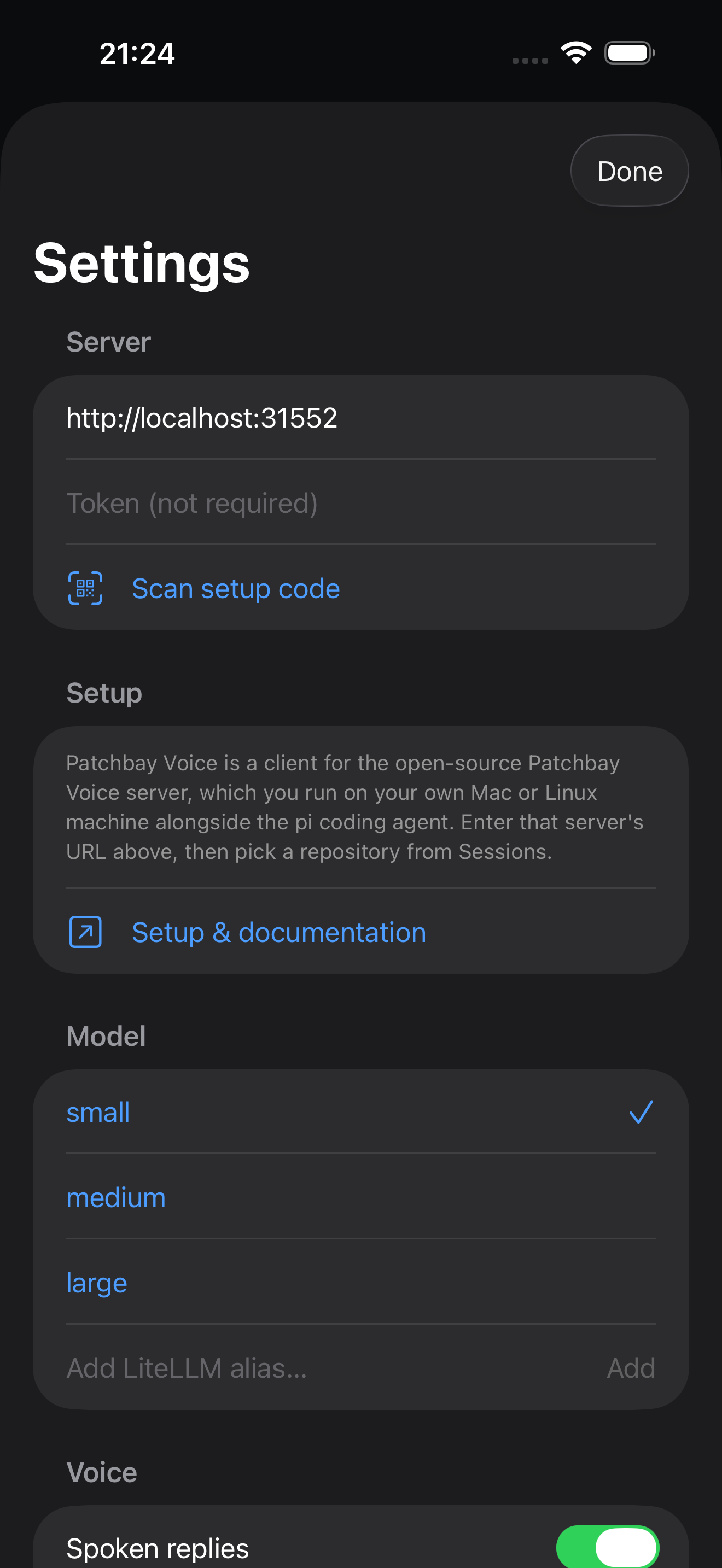
Both clients share the same three screens: a sessions list, a talk screen, and settings.
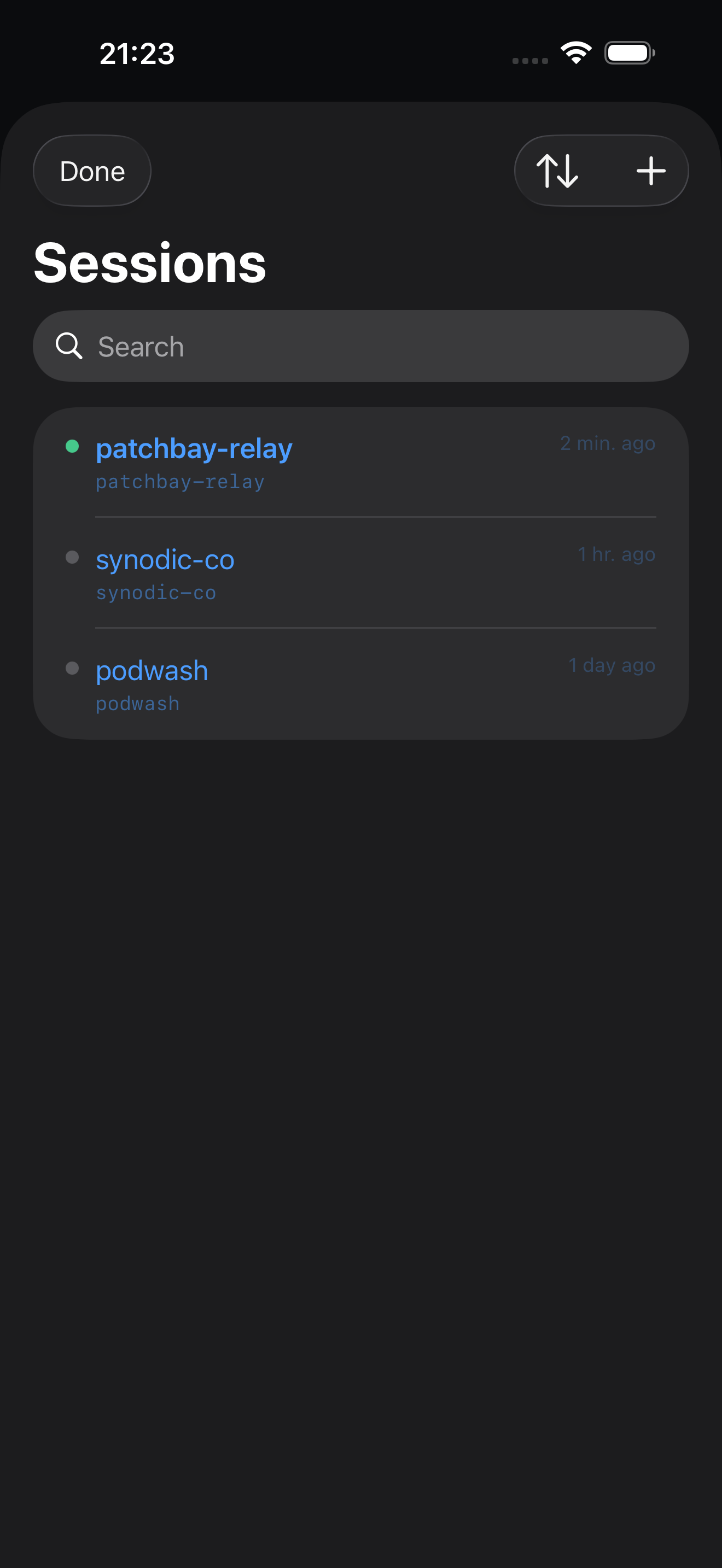
Sessions list. One session per repo. The list shows a green indicator for the active session, the relative time of the last turn, and the repo path in monospace. Tap to reset context or delete the session entirely. Search works across repo names.
Talk screen. The main surface. Previous turns appear as chat bubbles: your message right-aligned in a blue-tinted bubble, pi’s reply left-aligned in a dark card. The bottom row has three controls: a keyboard toggle on the left, the hold-to-talk mic button in the center, and a speaker toggle on the right. Switching to keyboard mode replaces the mic with a text field and send button.
Settings. Model (Small / Medium / Large or any LiteLLM alias), TTS provider, spoken replies toggle, speaking rate, file save path, and auto-commit and auto-push toggles. The two Git toggles enable only when the selected session’s repo actually supports them: auto-commit needs a Git repo, auto-push needs a repo with a remote, so neither is ever a silent no-op.
The iOS app is written in SwiftUI (iOS 17+). The web client is a single-file HTML/JS/CSS app served at GET / by the server, with no build step. It works in any modern browser, accessible to anyone who can reach the server over the network.
Server
The server is a FastAPI app with two endpoints that matter:
POST /api/talk: accepts audio or text, runs a pi turn, returns transcript + reply + audio pathsGET /api/chats,POST /api/chats,DELETE /api/chats/:id: session management
Transcription runs locally with faster-whisper (base model by default). TTS runs either through macOS say (no credentials needed) or Google Cloud TTS (better quality, requires a service account JSON via the GOOGLE_TTS_SERVICE_ACCOUNT_JSON env var). pi runs as a subprocess with --session for continuity and --mode json for structured event-stream parsing.
The custom pi extension (pi/tools.ts) turns pi’s built-in tools off entirely and registers twelve of its own. They group into three areas.
Reading and searching
read_file: read a file’s contents by path.grep_search: search file contents for a regex pattern.glob_find: find files by glob pattern viagit ls-files.list_dir: list the contents of a directory.tree: show a directory tree to a bounded depth.
Inspecting git history
git_log: recent commits, optionally scoped to a path.git_show: the diff and message for a single commit.git_blame: who last modified each line of a file.git_diff: differences between commits, branches, or the working tree.git_branch: list local and remote branches.git_show_file: read a file at a specific ref without checking it out.
Writing
write_file: save text, constrained to the configured save path.
Every tool is parameterized and runs commands through argv arrays rather than a shell string, so metacharacters in a transcribed instruction cannot be smuggled into a command. The server tracks turn history and handles the pi session ID lifecycle. Resetting a session clears pi’s context so the next turn starts fresh in the same directory.
It installs as a Homebrew formula (brew install synodic-studio/synodic/patchbay-voice-server) and runs as a launchd service. It binds loopback by default; expose it over a LAN or Tailscale by setting VOICE_HOST, and gate /api/* behind an optional bearer token when the network boundary is not enough on its own.
What it replaces
Before this I was typing instructions into Telegram, which Patchbay Relay forwarded to an AI coding agent that edits code. That still works and covers cases where I want the agent to actually make a change. Patchbay Voice covers the other half: understanding and remembering a codebase: “what does this service do,” “what changed in the last commit,” “save a note to plan the refactor.” Those are most of the turns in a typical session.
The two tools run side by side. Telegram for precision, voice for flow.